

Roomsheet
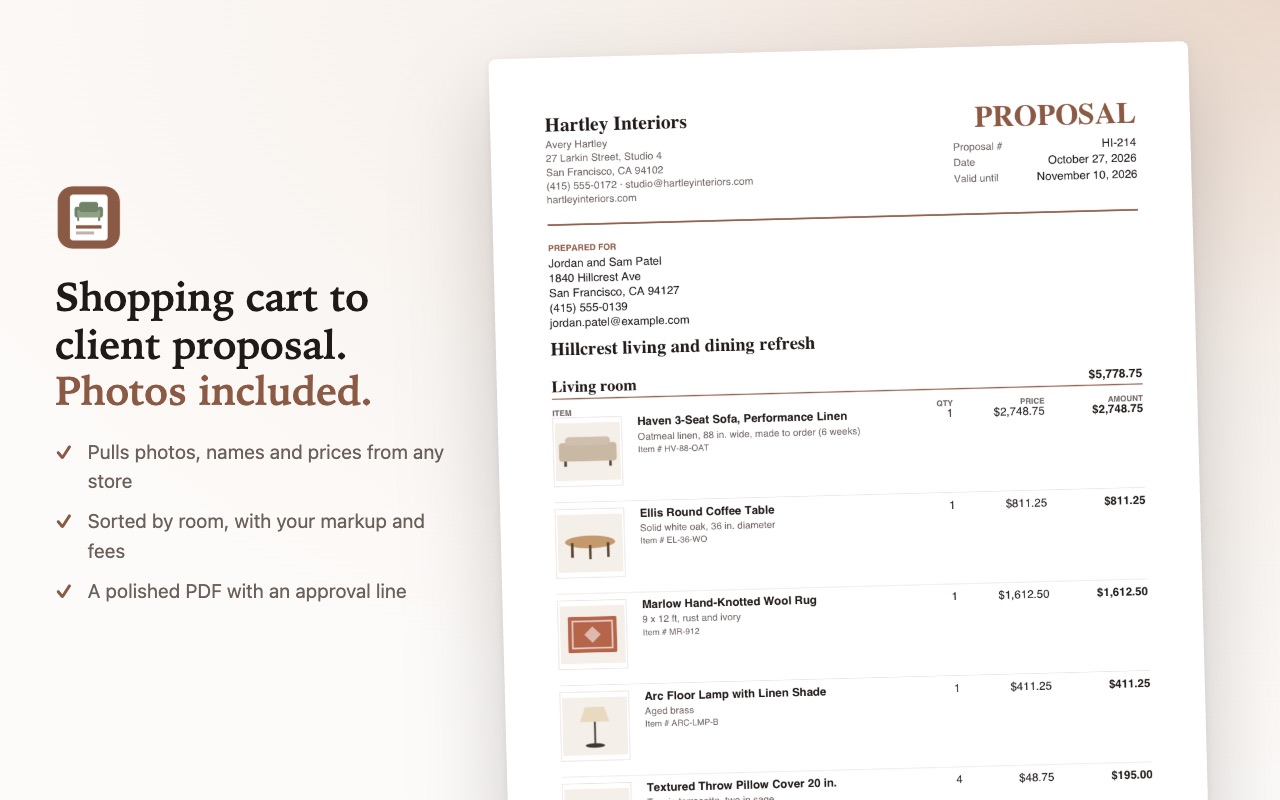
Turn a store cart or product page into a client proposal PDF with photos, rooms, your markup and fees. No account needed.
Coming soon to the Chrome Web Store Privacy policy
What it does
Roomsheet turns the items in a store cart or on a product page into an interior designer's client proposal. When the user clicks, it reads the item names, photos, quantities and prices on the current page, and the user adds rooms, markup and fees to produce a proposal PDF.
Permissions it asks for
activeTabPermissionGives Roomsheet access to the current tab only after the user clicks the toolbar button, uses the keyboard shortcut or chooses the right-click menu item, so it can read the items on that page. Roomsheet has no access to any site until the user does one of these.
scriptingPermissionRuns the page reader in the current tab (with the access activeTab grants after a user click) to read item names, photo addresses, quantities and prices, and shows a short "Added to proposal" message on that page.
storagePermissionSaves the user's proposals, studio profile (name, address, logo) and default settings in the browser's extension storage on the user's computer.
unlimitedStoragePermissionProposals keep a small copy of each product photo so the PDF can include it. A designer with many proposals can go past the default storage limit; this keeps their saved proposals from failing to save.
contextMenusPermissionAdds "Add items on this page to proposal" and "Add selected items to proposal" to the right-click menu.
https://*/*, http://*/*Optional site access, asked when neededNot granted at install. Some stores' image servers only let a page from the same site download their product photos. When a photo can't be downloaded for the PDF, Roomsheet shows an "Allow photos" button; Chrome then asks the user to allow downloads from those specific image sites only. It is used only to download the product photos the user added.